Free desktop app for painters
Notan
Squinting at a photograph, done for you. Open a reference, blur and posterise it, and read its values as flat shapes before you paint them.
Every painting teacher tells you the same thing: screw your eyes up until the detail falls away and only the big masses are left. Painters used to carry a piece of blackened glass to do it for them. Notan is that, on a slider: a stack of effects runs on the GPU over whatever photo you open — blur, levels, saturation, posterise — and you push them until the picture is honest about where its darks are.
It is free, there is no account and nothing is uploaded: it opens files off your disk and writes the study back next to them.
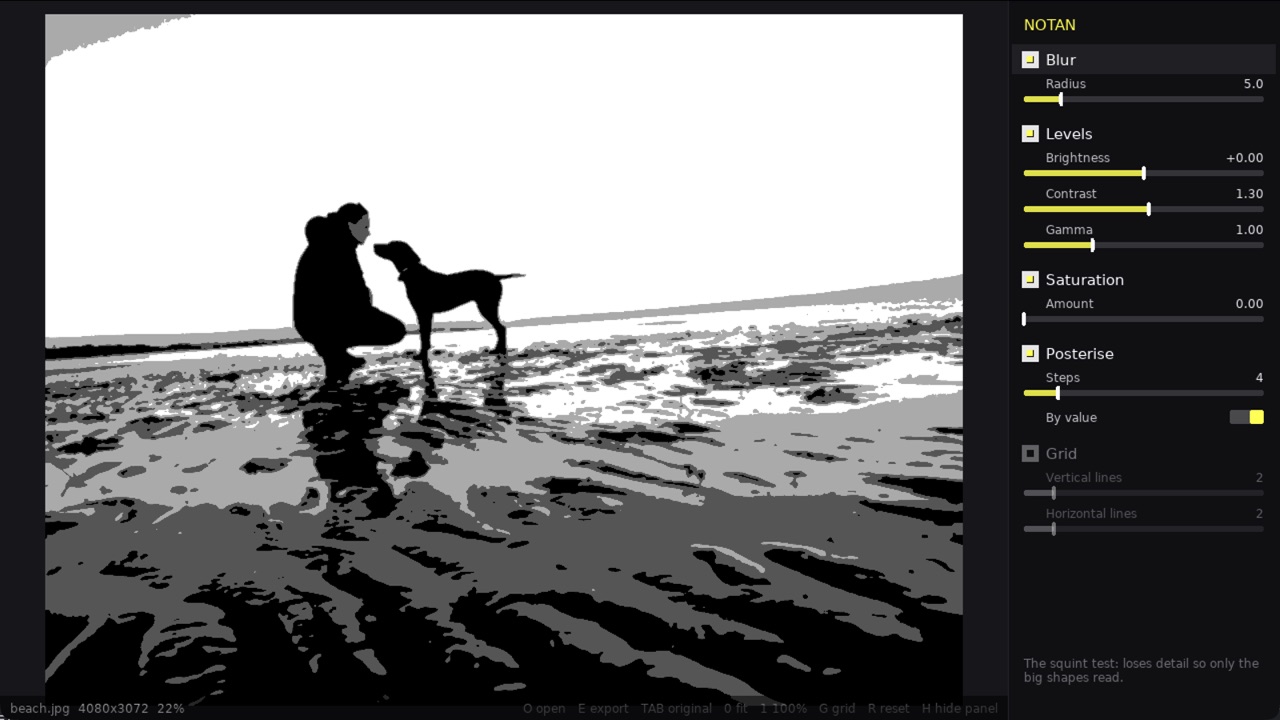
Why bother
Notan (濃淡) is the Japanese principle of designing a picture through its masses of light and dark. Get those right and a painting holds together from across the room, however loose the brushwork is. Get them wrong and no amount of drawing or colour will save it.
The hard part is that your eye is extremely good at seeing edges and extremely bad at judging value, especially once colour is involved. Squinting works because it throws away the information that is misleading you. Doing it with a blur and a posterise is the same trick, except you can hold it still and look at it for a while.
The black mirror
Painters were doing this with glass long before anyone had a GPU. The tool was a Claude glass, also called a black mirror: a small convex mirror backed or tinted dark, carried in a pocket case like a spectacle lens. You turned your back on the view and looked at it over your shoulder, and the mirror handed it back darkened, drained of colour and shrunk to the size of a postcard. Detail gone, tonal range squeezed, nothing left but the arrangement of light and dark.
It is named after Claude Lorrain, the French painter who spent his working life in Rome making landscapes whose light is graded so beautifully that the glass became shorthand for it. Claude almost certainly never used one himself; the name was attached later by the eighteenth-century painters and picturesque tourists who did. Gainsborough owned one. Thomas Gray took one around the Lake District and wrote the view up as the glass had given it to him.
Notan is that mirror with its settings exposed. The glass offered one fixed amount of dark and one fixed amount of softening, whatever you pointed it at. Here you choose how far to push each pass, the result holds still while you study it, and holding TAB puts the untouched photograph back for as long as you want it. The trick is three hundred years old. The only new part is being able to tune it.
What it looks like
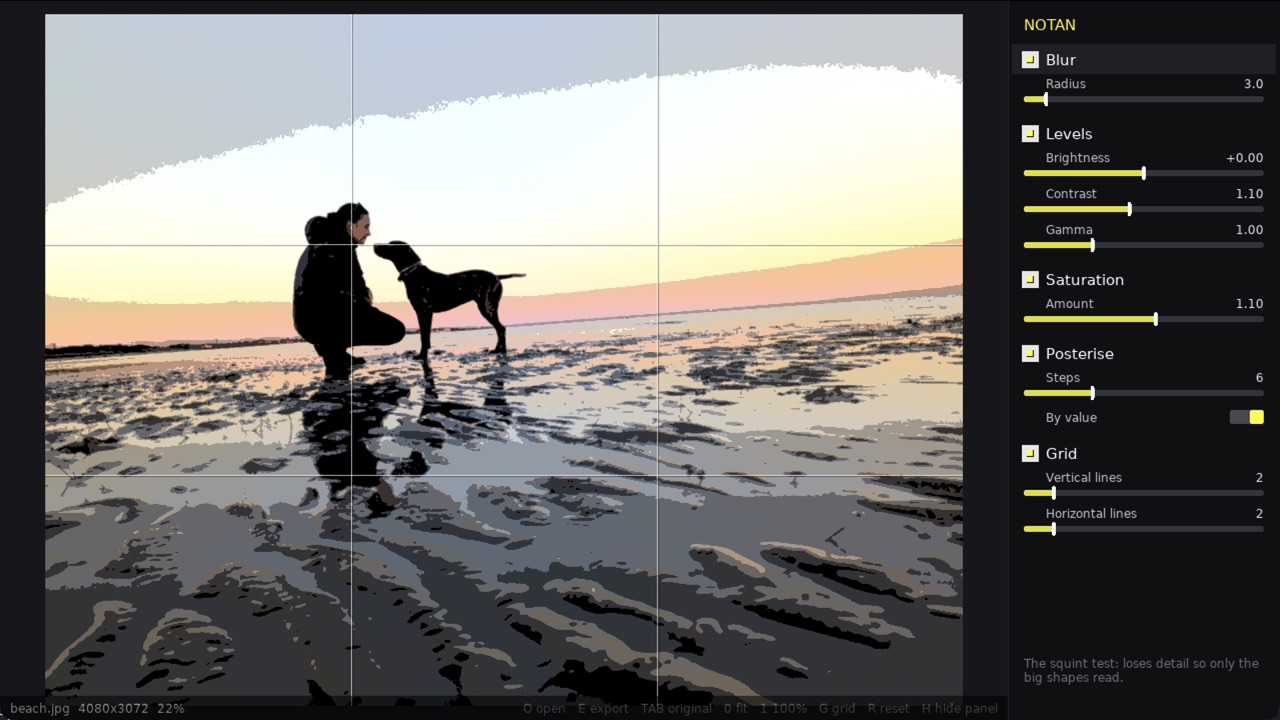
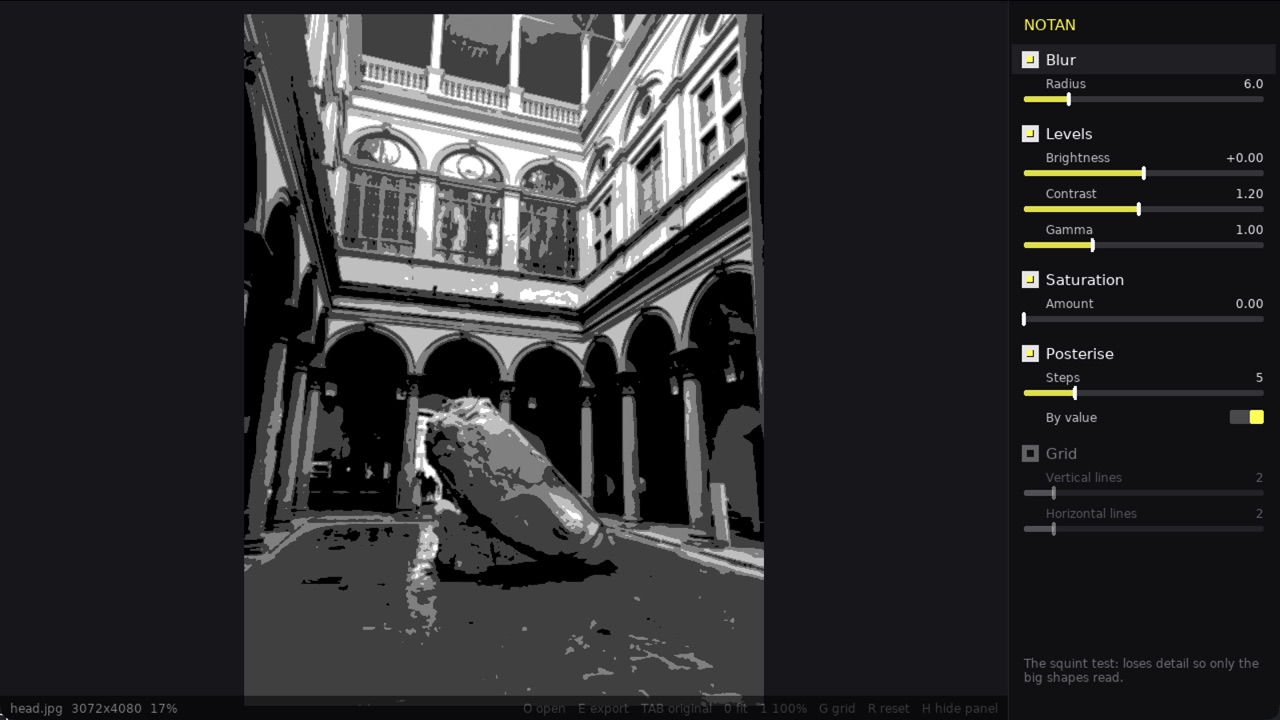
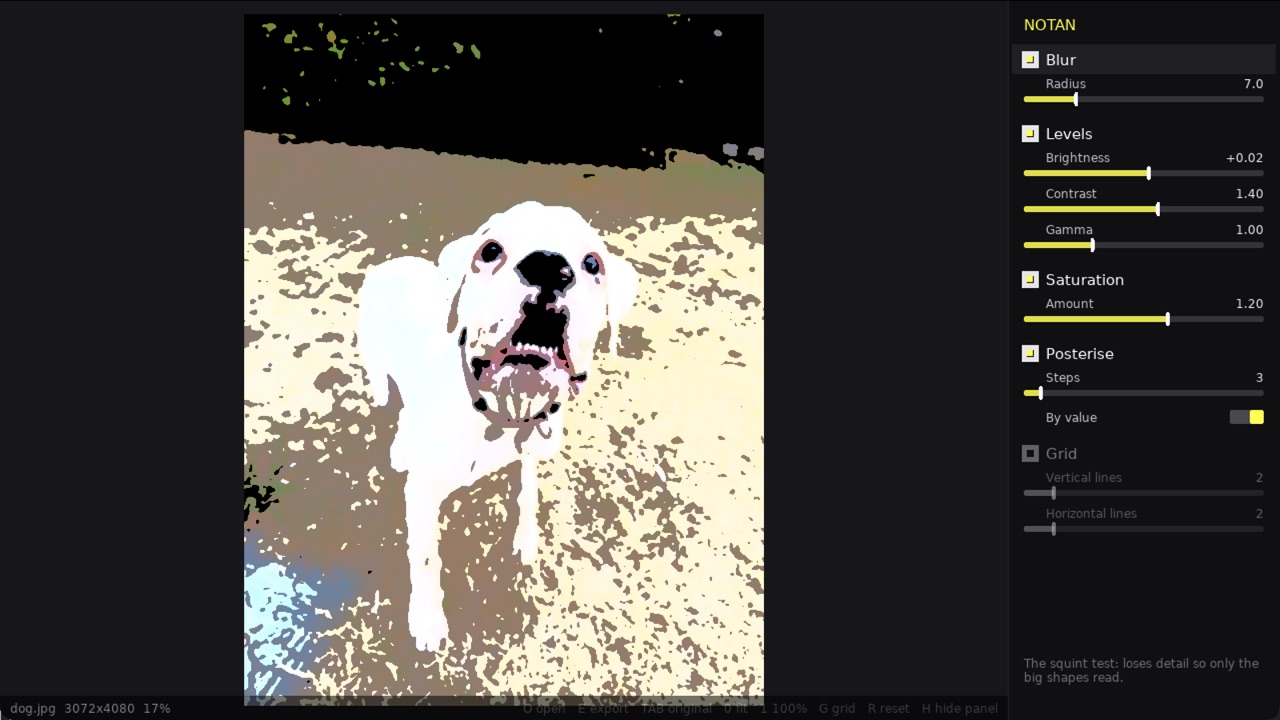
What it does
Blur
The first pass, because squinting is a blur. Detail drops out, the big shapes survive, and the radius goes far enough to reduce a face to three or four masses.
Levels
Brightness, contrast and gamma, so a flat photograph can be pushed until its values separate rather than sitting in one muddy band.
Saturation
Drag it to zero and the picture becomes a value study. Colour is the thing that lies to you about value, so taking it away is usually the first move.
Posterise
Two to sixteen steps, quantised by value or per channel. This is the pass that produces the notan proper: a flat map of where the darks are.
Crop to your canvas
Type the dimensions of the panel you are painting on and a box locked to that ratio appears over the photo. Only the ratio matters, so inches, centimetres and pixels all work. Drag it to frame the shot, and the export is the box.
Composition grid
Vertical and horizontal lines over the image, drawn in screen space so they stay one pixel wide at any zoom, and drawn again at image scale on export.
Hold to compare
Hold TAB and the original photograph comes back for as long as you hold it. Letting go drops you back into the study.
Export the study
Press E and the processed image is written as a PNG next to the photograph it came from, grid and all, ready to print or put on a second screen.
It remembers
The effect stack is saved when you quit and restored when you open it again, so the settings you like are waiting the next time you sit down.
Keys
All of them can be remapped, so the keys you reach for most can sit under the hand you are not painting with.
| Key | Does |
|---|---|
O | Open an image. You can also drag one onto the window. |
E | Export the processed image as a PNG next to the source. |
TAB | Hold to see the original photograph. |
0 / 1 | Fit to the window, or view at 100%. With a crop box up, 0 fits the crop rather than the whole photo. |
K | Toggle the crop box. |
G | Toggle the composition grid. |
R | Reset every effect to its default. |
H | Hide the panel and give the image the whole window. |
C | Change the key bindings. |
Scroll / drag | Zoom and pan. |
Arrow keys | Walk the panel and adjust the selected slider. |
Download and install
Always the newest release — a disk image for macOS, an installer for Windows. Nothing phones home and there is nothing to register. If you would rather not install anything, the whole app also runs in the browser, at a cost in speed.
| Platform | Download | Notes |
|---|---|---|
| macOS | Notan-macos.dmg | Universal disk image. Unsigned, so the first launch needs the step below. |
| Windows (64-bit) | Notan-win64-setup.exe | Installer, no admin rights needed. Unsigned, so SmartScreen will ask once. |
| Windows (32-bit) | Notan-win32-setup.exe | Only for an old machine that cannot run the 64-bit build. |
The unsigned app warning
Notan is given away for nothing, and an Apple developer certificate is not. So both builds are unsigned and each operating system will say so once, in its usual alarming way. It is worth knowing in advance, because neither warning tells you there is a way through it.
On macOS the first launch is refused outright, with an alert offering you Done or Move to Bin. Click Done, then open System Settings → Privacy & Security and scroll to the bottom, where a line about Notan being blocked has appeared with an Open Anyway button next to it. Click that, and confirm the launch. The button only appears after a blocked launch and goes away after about an hour, so if you cannot find it, try opening the app again first. Older advice to right-click and choose Open no longer works: macOS removed that shortcut in Sequoia.
If macOS insists the app is damaged rather than merely unverified, the quarantine flag is the culprit:
Strip the quarantine flag macOS puts on downloads
xattr -dr com.apple.quarantine /Applications/Notan.appOn Windows it is one extra click, on the installer rather than the game: SmartScreen shows a blue box saying Windows protected your PC, with the publisher given as Unknown publisher. Click "More info" and then "Run anyway". The install itself needs no admin rights — it goes into your own user folder, with a Start-menu shortcut and an entry in Settings → Apps to remove it again.