Camera
Follow target
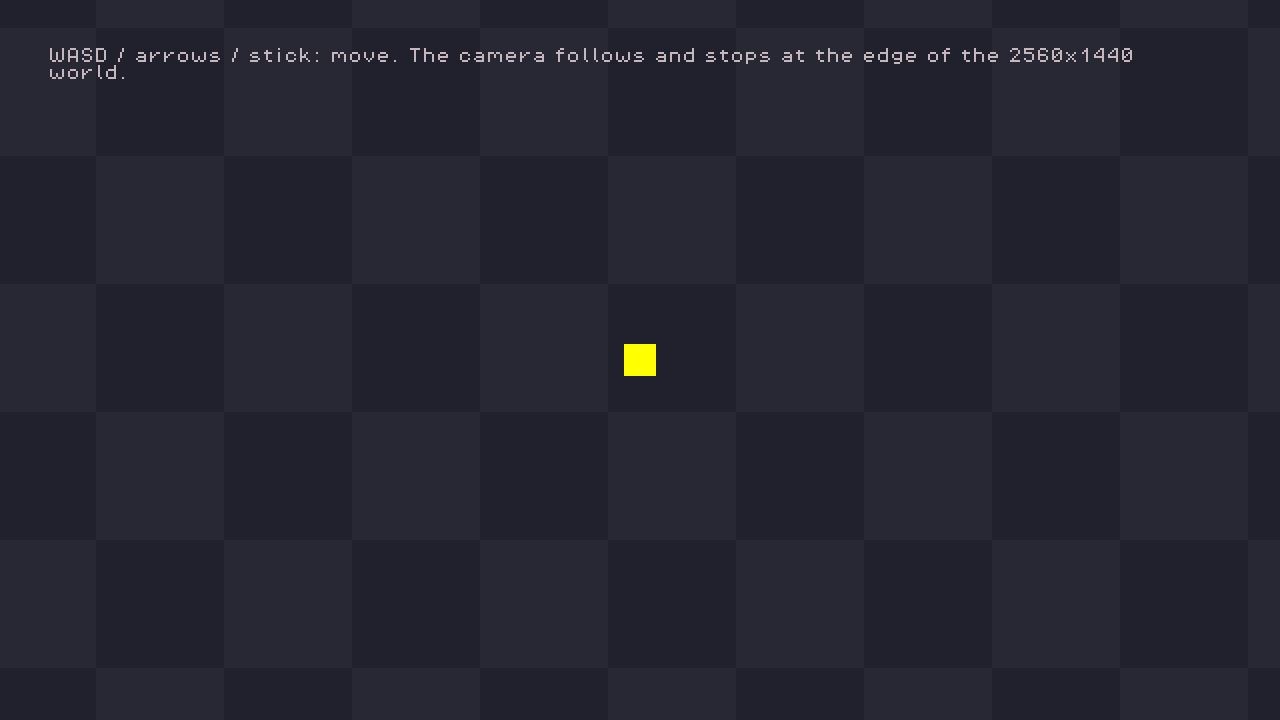
camera:followTarget keeps the player centred and clamps the view to the world bounds.
- camera
- followTarget
Source
examples/camera/follow.lua · 77 lines · Open on GitHub
-- title: Follow target
-- description: camera:followTarget keeps the player centred and clamps the view to the world bounds.
-- order: 1
-- tags: camera, followTarget
local Scene = require "engine.Scene"
local GameObject = require "engine.GameObject"
local Vector2 = require "engine.Vector2"
local Vector4 = require "engine.Vector4"
local cacheManager = require "engine.cacheManager"
local inputMap = require "engine.input.inputMap"

local WORLD_W, WORLD_H = 2560, 1440
local SPEED = 240
local TILE = 128

---@class CameraFollow : Scene
local Example = Scene.extend(Scene)

function Example:new()
  Example.super.new(self, "camera/follow")
  self.backgroundColor = { 0.09, 0.09, 0.13, 1 }
end

function Example:load()
  for row = 0, WORLD_H / TILE - 1 do
    for col = 0, WORLD_W / TILE - 1 do
      local tile = GameObject(string.format("tile-%d-%d", col, row), Vector2(col * TILE, row * TILE), TILE, TILE)
      tile.layer = "ground"
      local shade = (col + row) % 2 == 0 and 0.16 or 0.13
      tile.fillColor = Vector4(shade, shade, shade + 0.05, 1)
      self:addGameObject(tile)
    end
  end
  -- Markers at the world corners so the clamp is visible.
  for i, corner in ipairs({ { 0, 0 }, { WORLD_W - 64, 0 }, { 0, WORLD_H - 64 }, { WORLD_W - 64, WORLD_H - 64 } }) do
    local marker = self:addGameObject(GameObject("corner" .. i, Vector2(corner[1], corner[2]), 64, 64))
    marker.fillColor = Vector4(0.9, 0.3, 0.3, 1)
  end
  self.player = self:addGameObject(GameObject("player", Vector2(1200, 700), 32, 32))
  self.player.fillColor = Vector4(1, 1, 0, 1)

  local hud = GameObject("hud", Vector2(48, 48), 1100, 24)
  hud.layer = "ui"
  hud.text = "WASD / arrows / stick: move. The camera follows and stops at the edge of the 2560x1440 world."
  hud.textColor = Vector4(0.78, 0.72, 0.75, 1)
  hud.font = cacheManager.getFont("body")
  self:addGameObject(hud)
end

function Example:update(dt)
  local dx, dy = inputMap.vector("move_left", "move_right", "move_up", "move_down")
  local pos = self.player:getPos()
  pos.x = math.max(0, math.min(WORLD_W - 32, pos.x + dx * SPEED * dt))
  pos.y = math.max(0, math.min(WORLD_H - 32, pos.y + dy * SPEED * dt))
  self.player:setPos(pos)
  -- Pass the world size to clamp; omit it to follow freely.
  self.camera:followTarget(self.player, WORLD_W, WORLD_H)
end

Example.script = {
  { at = 2,  press = "move_right" },
  { at = 90, release = "move_right" },
}

function Example.check(scene, ctx)
  local cam = scene.camera
  if ctx.frame == 1 then
    assert(math.abs(cam.x - (1200 + 16 - 640)) < 1e-6 and math.abs(cam.y - (700 + 16 - 360)) < 1e-6, "centred on start")
  elseif ctx.done then
    local x = scene.player:getPos().x
    assert(math.abs(x - (1200 + 88 * 4)) < 1e-6, "player x " .. x)
    assert(math.abs(cam.x - (x + 16 - 640)) < 1e-6, "camera follows x")
    assert(cam.x <= WORLD_W - 1280 and cam.y <= WORLD_H - 720, "within clamp")
  end
end

return Example