Collision
Hit and hurt boxes
The HitHurtBox mixin gives objects offset hitboxes and hurtboxes; checkCollisionsWith finds targets of a class.
- HitHurtBox
- implement
- checkCollisionsWith
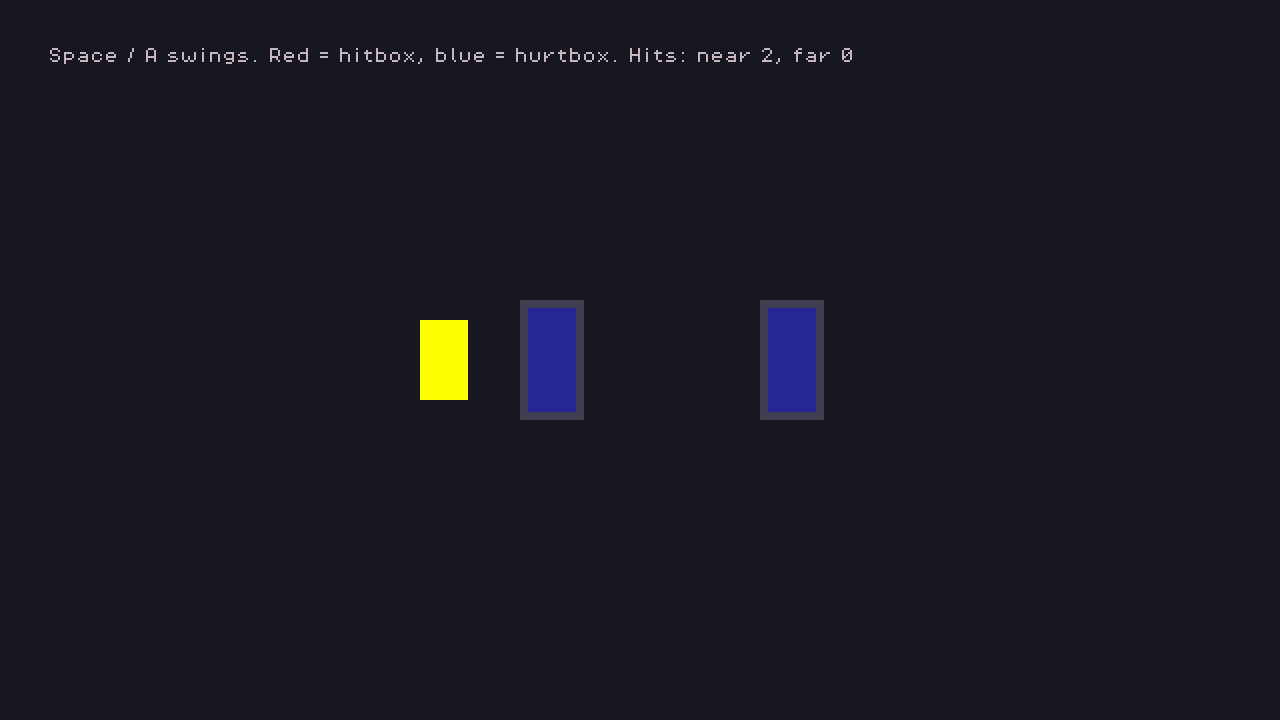
Source
examples/collision/hit-hurt-boxes.lua · 108 lines · Open on GitHub
-- title: Hit and hurt boxes
-- description: The HitHurtBox mixin gives objects offset hitboxes and hurtboxes; checkCollisionsWith finds targets of a class.
-- order: 3
-- tags: HitHurtBox, implement, checkCollisionsWith
local Scene = require "engine.Scene"
local GameObject = require "engine.GameObject"
local Vector2 = require "engine.Vector2"
local Vector4 = require "engine.Vector4"
local cacheManager = require "engine.cacheManager"
local HitHurtBox = require "engine.components.HitHurtBox"

local SWING = 0.3 -- seconds the hitbox is live

---@class Dummy : GameObject
local Dummy = GameObject.extend(GameObject)
Dummy:implement(HitHurtBox)

function Dummy:new(name, x)
  Dummy.super.new(self, name, Vector2(x, 300), 64, 120)
  self.fillColor = Vector4(0.25, 0.25, 0.32, 1)
  self:setHurtbox({ x = 8, y = 8, width = 48, height = 104 }) -- relative to the object position
  self.debugHitHurtBox = true
  self.hits = 0
  self.flash = 0
end

function Dummy:update(dt)
  self.flash = math.max(0, self.flash - dt)
  self.fillColor = self.flash > 0 and Vector4(0.9, 0.3, 0.3, 1) or Vector4(0.25, 0.25, 0.32, 1)
end

---@class Swordsman : GameObject
local Swordsman = GameObject.extend(GameObject)
Swordsman:implement(HitHurtBox)

function Swordsman:new()
  Swordsman.super.new(self, "swordsman", Vector2(420, 320), 48, 80)
  self.fillColor = Vector4(1, 1, 0, 1)
  self.debugHitHurtBox = true
  self.swing = 0
  self.hitThisSwing = {}
end

function Swordsman:attack()
  self.swing = SWING
  self.hitThisSwing = {}
  self:setHitbox({ x = 48, y = 10, width = 90, height = 40 }) -- the blade, to the right
end

function Swordsman:update(dt)
  if self.swing > 0 then
    self.swing = self.swing - dt
    -- Looks through the scene's hit/hurt objects for Dummy instances whose hurtbox overlaps our hitbox.
    self:checkCollisionsWith(Dummy, self.scene, function(dummy)
      if not self.hitThisSwing[dummy] then
        self.hitThisSwing[dummy] = true
        dummy.hits = dummy.hits + 1
        dummy.flash = 0.2
      end
    end)
    if self.swing <= 0 then self:setHitbox(nil) end
  end
end

---@class CollisionHitHurt : Scene
local Example = Scene.extend(Scene)

function Example:new()
  Example.super.new(self, "collision/hit-hurt-boxes")
  self.backgroundColor = { 0.09, 0.09, 0.13, 1 }
end

function Example:load()
  self.swordsman = self:addGameObject(Swordsman())
  self.near = self:addGameObject(Dummy("near", 520))
  self.far = self:addGameObject(Dummy("far", 760))
end

function Example:onActionPressed(name)
  if name == "action" then self.swordsman:attack() end
end

function Example:draw()
  love.graphics.setFont(cacheManager.getFont("body"))
  love.graphics.setColor(0.78, 0.72, 0.75, 1)
  love.graphics.print(string.format("Space / A swings. Red = hitbox, blue = hurtbox. Hits: near %d, far %d",
    self.near.hits, self.far.hits), 48, 48)
  love.graphics.setColor(1, 1, 1, 1)
end

Example.script = {
  { at = 30, tap = "action" },
  { at = 90, tap = "action" },
}

function Example.check(scene, ctx)
  if ctx.frame == 31 then
    assert(scene.swordsman:getHitbox() ~= nil and scene.near.hits == 1, "the swing lands on the first frame")
  elseif ctx.frame == 60 then
    assert(scene.swordsman:getHitbox() == nil, "hitbox cleared after the swing")
  elseif ctx.done then
    assert(scene.near.hits == 2 and scene.far.hits == 0, string.format("hits near %d far %d", scene.near.hits, scene.far.hits))
    assert(#scene.hitHurtBoxObjects == 0, "registry is keyed by name")
    assert(scene.hitHurtBoxObjects.near and scene.hitHurtBoxObjects.swordsman, "objects with boxes are tracked by the scene")
  end
end

return Example