Camera
Zoom
setZoom magnifies the world about the screen centre; worldToScreen maps a world point to the screen.
- camera
- setZoom
- worldToScreen
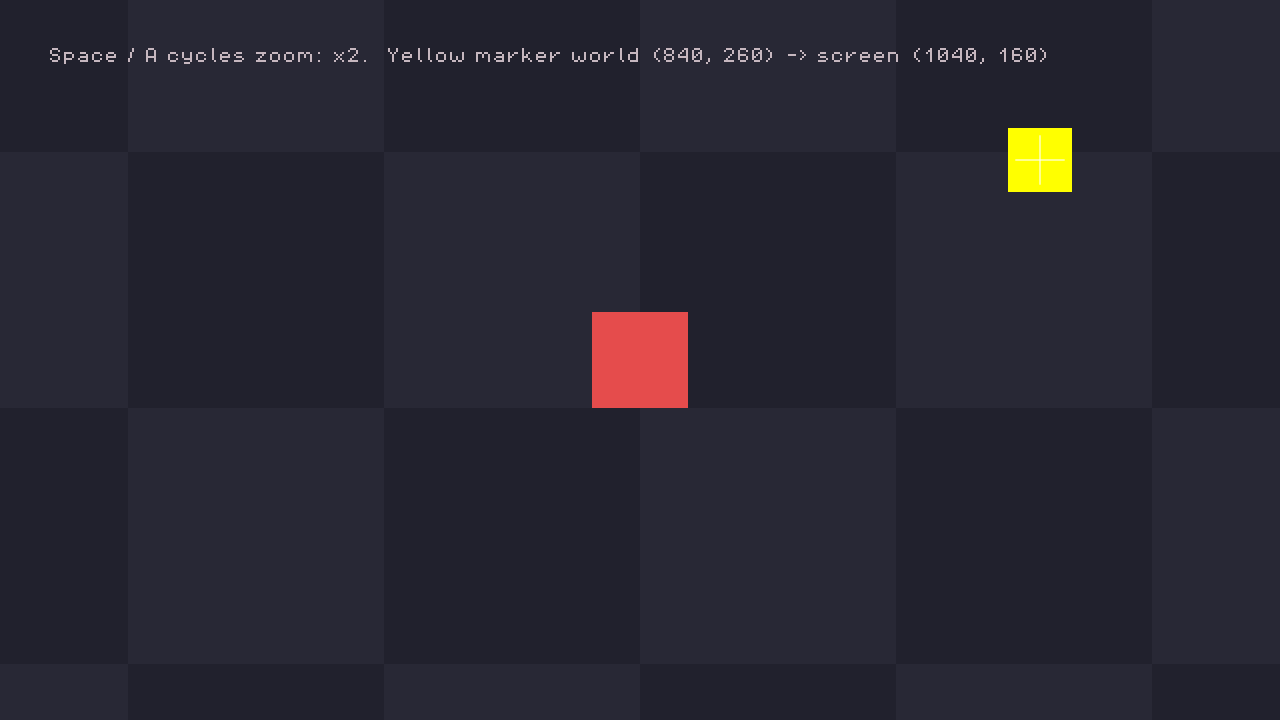
Source
examples/camera/zoom.lua · 105 lines · Open on GitHub
-- title: Zoom
-- description: setZoom magnifies the world about the screen centre; worldToScreen maps a world point to the screen.
-- order: 2
-- tags: camera, setZoom, worldToScreen
local Scene = require "engine.Scene"
local GameObject = require "engine.GameObject"
local Vector2 = require "engine.Vector2"
local Vector4 = require "engine.Vector4"
local cacheManager = require "engine.cacheManager"

local CENTRE = Vector2(640, 360)
local MARKER = Vector2(840, 260)

---@class CameraZoom : Scene
local Example = Scene.extend(Scene)

function Example:new()
  Example.super.new(self, "camera/zoom")
  self.backgroundColor = { 0.09, 0.09, 0.13, 1 }
  self.zoomLevels = { 1, 2, 3 }
  self.level = 1
end

function Example:load()
  for row = 0, 5 do
    for col = 0, 9 do
      local tile = GameObject(string.format("tile-%d-%d", col, row), Vector2(col * 128, row * 128), 128, 128)
      tile.layer = "ground"
      local shade = (col + row) % 2 == 0 and 0.16 or 0.13
      tile.fillColor = Vector4(shade, shade, shade + 0.05, 1)
      self:addGameObject(tile)
    end
  end
  self.marker = self:addGameObject(GameObject("marker", Vector2(MARKER.x - 16, MARKER.y - 16), 32, 32))
  self.marker.fillColor = Vector4(1, 1, 0, 1)
  local hub = self:addGameObject(GameObject("hub", Vector2(CENTRE.x - 24, CENTRE.y - 24), 48, 48))
  hub.fillColor = Vector4(0.9, 0.3, 0.3, 1)
  self:applyZoom()
end

-- Position the camera so CENTRE stays in the middle of the screen at any zoom.
function Example:applyZoom()
  local zoom = self.zoomLevels[self.level]
  self.camera:setZoom(zoom)
  self.camera:setPosition(CENTRE.x - 640 / zoom, CENTRE.y - 360 / zoom)
end

function Example:onActionPressed(name)
  if name == "action" then
    self.level = (self.level % #self.zoomLevels) + 1
    self:applyZoom()
  end
end

-- Scene:draw runs inside the camera transform; use a ui-layer object or
-- worldToScreen for screen-space drawing. Here draw() marks the world point
-- and the HUD text is drawn by an object on the ui layer.
function Example:draw()
end

function Example:start()
  Example.super.start(self)
  if not self:getGameObject("hud") then
    local hud = GameObject("hud", Vector2(48, 48), 1100, 24)
    hud.layer = "ui"
    hud.textColor = Vector4(0.78, 0.72, 0.75, 1)
    hud.font = cacheManager.getFont("body")
    hud.text = ""
    local scene = self
    function hud:update()
      local sx, sy = scene.camera:worldToScreen(MARKER.x, MARKER.y)
      self.text = string.format("Space / A cycles zoom: x%d.  Yellow marker world (%d, %d) -> screen (%d, %d)",
        scene.camera:getZoom(), MARKER.x, MARKER.y, sx, sy)
    end

    function hud:draw()
      local sx, sy = scene.camera:worldToScreen(MARKER.x, MARKER.y)
      love.graphics.setColor(1, 1, 1, 0.8)
      love.graphics.setLineWidth(1)
      love.graphics.line(sx - 24, sy, sx + 24, sy)
      love.graphics.line(sx, sy - 24, sx, sy + 24)
      love.graphics.setColor(1, 1, 1, 1)
    end

    self:addGameObject(hud)
  end
end

Example.script = {
  { at = 30, tap = "action" },
}

function Example.check(scene, ctx)
  if ctx.frame == 1 then
    assert(scene.camera:getZoom() == 1, "starts at zoom 1")
  elseif ctx.done then
    assert(scene.camera:getZoom() == 2, "zoom 2 after one press")
    local sx, sy = scene.camera:worldToScreen(MARKER.x, MARKER.y)
    -- At zoom 2 about the centre: screen = centre + (world - centre) * 2.
    assert(math.abs(sx - (640 + (MARKER.x - 640) * 2)) < 1e-6 and math.abs(sy - (360 + (MARKER.y - 360) * 2)) < 1e-6,
      string.format("worldToScreen gave (%.1f, %.1f)", sx, sy))
  end
end

return Example