Game objects
Parent and child objects
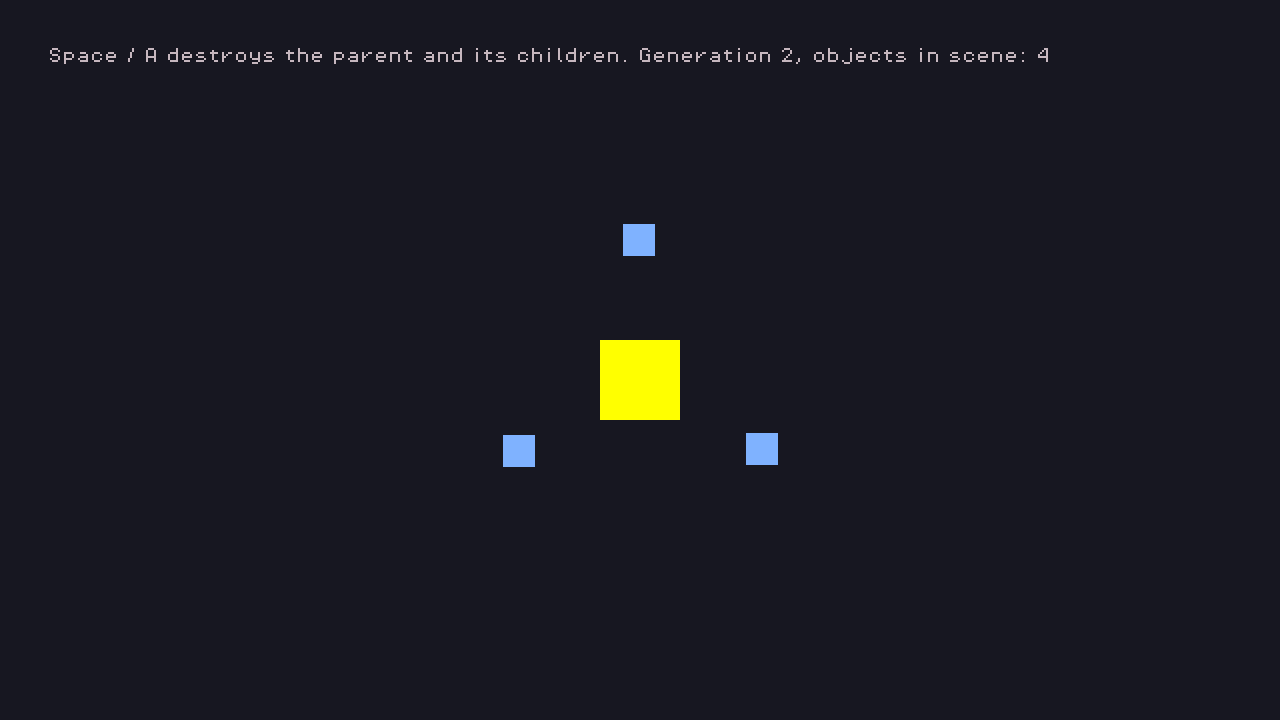
A parent adds children with addGameObject and moves them; destroying the parent destroys the children, then a new family spawns.
- addGameObject
- destroy
- children
Source
examples/game-objects/parent-child.lua · 111 lines · Open on GitHub
-- title: Parent and child objects
-- description: A parent adds children with addGameObject and moves them; destroying the parent destroys the children, then a new family spawns.
-- order: 3
-- tags: addGameObject, destroy, children
local Scene = require "engine.Scene"
local GameObject = require "engine.GameObject"
local Vector2 = require "engine.Vector2"
local Vector4 = require "engine.Vector4"
local cacheManager = require "engine.cacheManager"

local CENTRE = Vector2(640, 380)

---@class Family : GameObject
local Family = GameObject.extend(GameObject)

function Family:new(generation)
  Family.super.new(self, "parent" .. generation, Vector2(CENTRE.x - 40, CENTRE.y - 40), 80, 80)
  self.fillColor = Vector4(1, 1, 0, 1)
  self.generation = generation
  self.angle = 0
end

-- load() runs when the parent is added to the scene, so the scene is set and children can be added.
function Family:load()
  for i = 1, 3 do
    local child = GameObject("child" .. self.generation .. "-" .. i, Vector2(0, 0), 32, 32)
    child.fillColor = Vector4(0.5, 0.7, 1, 1)
    self:addGameObject(child)
  end
  self:place()
end

-- Children have absolute positions; the parent keeps them in orbit.
function Family:place()
  for i, child in ipairs(self.gameObjects) do
    local a = self.angle + (i - 1) * (math.pi * 2 / 3)
    child:setPos(Vector2(CENTRE.x - 16 + math.cos(a) * 140, CENTRE.y - 16 + math.sin(a) * 140))
  end
end

function Family:update(dt)
  self.angle = self.angle + dt
  self:place()
end

---@class GameObjectsParentChild : Scene
local Example = Scene.extend(Scene)

function Example:new()
  Example.super.new(self, "game-objects/parent-child")
  self.backgroundColor = { 0.09, 0.09, 0.13, 1 }
  self.generation = 0
  self.respawnIn = nil
end

function Example:spawn()
  self.generation = self.generation + 1
  self.family = self:addGameObject(Family(self.generation))
end

function Example:load()
  self:spawn()
end

function Example:onActionPressed(name)
  if name == "action" and self.family then
    self.family:destroy() -- removes the parent and, recursively, its children from the scene
    self.family = nil
    self.respawnIn = 0.5
  end
end

function Example:update(dt)
  if self.respawnIn then
    self.respawnIn = self.respawnIn - dt
    if self.respawnIn <= 0 then
      self.respawnIn = nil
      self:spawn()
    end
  end
end

function Example:count()
  local n = 0
  for _ in pairs(self.gameObjects) do n = n + 1 end
  return n
end

function Example:draw()
  love.graphics.setFont(cacheManager.getFont("body"))
  love.graphics.setColor(0.78, 0.72, 0.75, 1)
  love.graphics.print("Space / A destroys the parent and its children. Generation " .. self.generation ..
    ", objects in scene: " .. self:count(), 48, 48)
  love.graphics.setColor(1, 1, 1, 1)
end

Example.script = {
  { at = 60, tap = "action" },
}

function Example.check(scene, ctx)
  if ctx.frame == 59 then
    assert(scene:count() == 4, "parent plus three children before destroy")
  elseif ctx.frame == 61 then
    assert(scene:count() == 0, "destroy should cascade to children, got " .. scene:count())
  elseif ctx.done then
    assert(scene.generation == 2 and scene:count() == 4, "a second family should have spawned")
  end
end

return Example