Game objects
Tiling an image
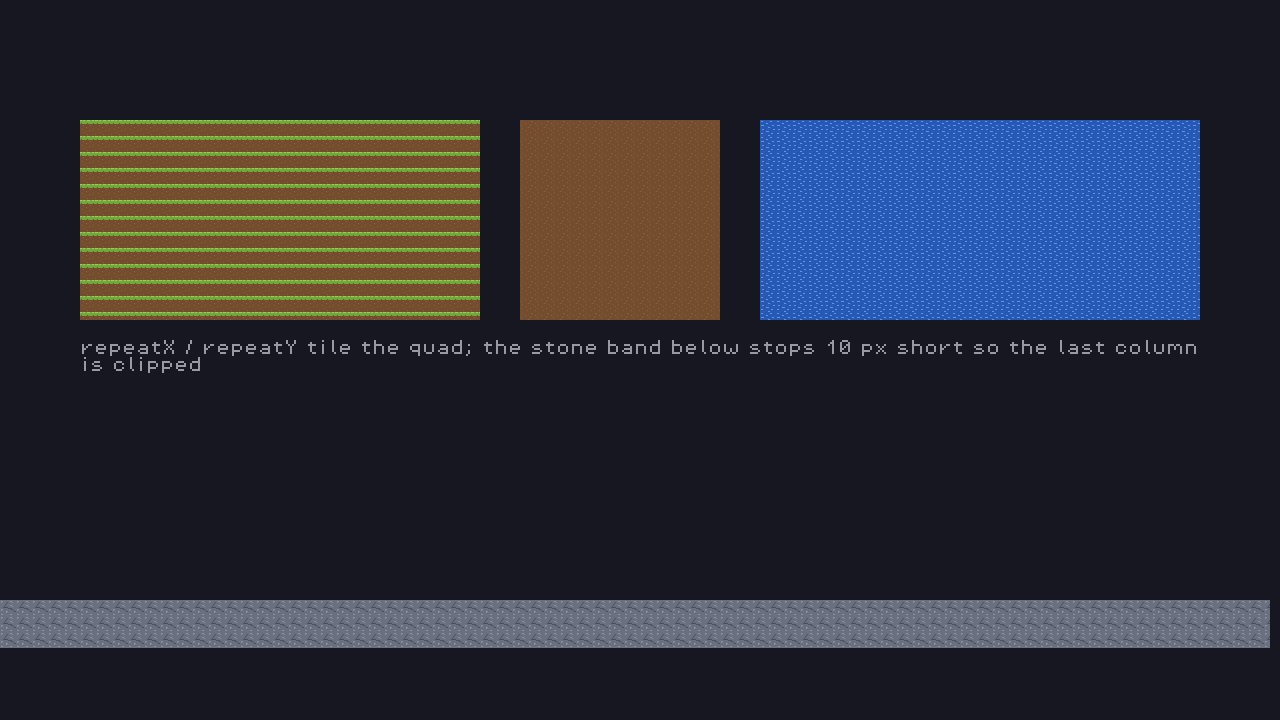
repeatX and repeatY tile a quad across an area, clipping the last partial tile.
- repeatX
- repeatY
- quad
Source
examples/game-objects/repeat-tiling.lua · 49 lines · Open on GitHub
-- title: Tiling an image
-- description: repeatX and repeatY tile a quad across an area, clipping the last partial tile.
-- order: 6
-- tags: repeatX, repeatY, quad
local Scene = require "engine.Scene"
local GameObject = require "engine.GameObject"
local Vector2 = require "engine.Vector2"
local Vector4 = require "engine.Vector4"
local cacheManager = require "engine.cacheManager"

local function tiled(name, x, y, quadName, repeatX, repeatY)
  local sheet = cacheManager.getSpritesheet("examples-tiles")
  local object = GameObject(name, Vector2(x, y), 16, 16)
  object.spritesheet = sheet.image
  object.quad = sheet.quads[quadName]
  object.repeatX = repeatX -- total width in pixels to cover
  object.repeatY = repeatY -- total height in pixels to cover
  return object
end

---@class GameObjectsTiling : Scene
local Example = Scene.extend(Scene)

function Example:new()
  Example.super.new(self, "game-objects/repeat-tiling")
  self.backgroundColor = { 0.09, 0.09, 0.13, 1 }
end

function Example:load()
  -- A 1270 px band: 79 whole stone tiles and a 6 px sliver.
  self.band = self:addGameObject(tiled("band", 0, 600, "stone", 1270, 48))
  self:addGameObject(tiled("grass", 80, 120, "grass", 400, 200))
  self:addGameObject(tiled("dirt", 520, 120, "dirt", 200, 200))
  self:addGameObject(tiled("water", 760, 120, "water", 440, 200))

  local label = self:addGameObject(GameObject("label", Vector2(80, 340), 1120, 24))
  label.text = "repeatX / repeatY tile the quad; the stone band below stops 10 px short so the last column is clipped"
  label.textColor = Vector4(0.6, 0.6, 0.65, 1)
  label.font = cacheManager.getFont("body")
end

function Example.check(scene, ctx)
  if ctx.done then
    assert(scene.band.repeatX == 1270 and scene.band.repeatY == 48, "repeat sizes kept")
    assert(scene:getGameObject("grass").quad, "quad set")
  end
end

return Example