Input
Polling actions
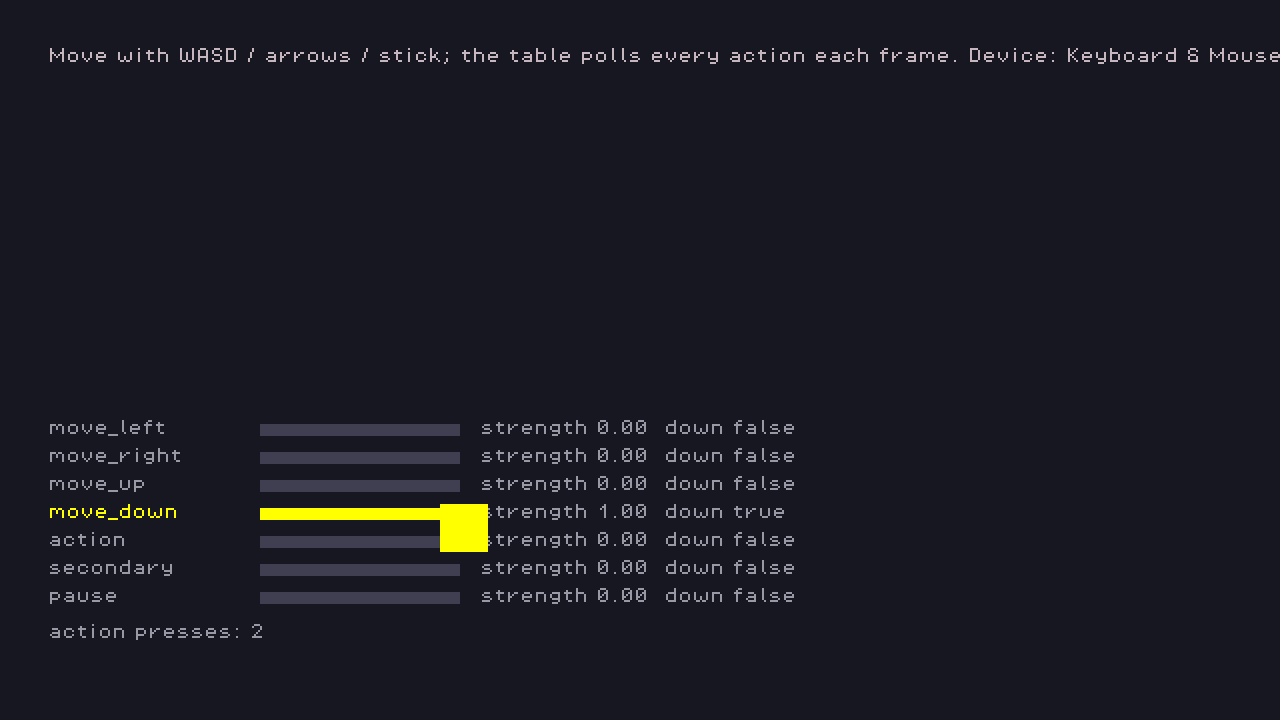
Read named actions with down, pressed, strength and vector instead of keys or buttons.
- inputMap
- down
- pressed
- strength
- vector
Source
examples/input/actions-polling.lua · 80 lines · Open on GitHub
-- title: Polling actions
-- description: Read named actions with down, pressed, strength and vector instead of keys or buttons.
-- order: 1
-- tags: inputMap, down, pressed, strength, vector
local Scene = require "engine.Scene"
local GameObject = require "engine.GameObject"
local Vector2 = require "engine.Vector2"
local Vector4 = require "engine.Vector4"
local cacheManager = require "engine.cacheManager"
local inputMap = require "engine.input.inputMap"

local SPEED = 240
local ACTIONS = { "move_left", "move_right", "move_up", "move_down", "action", "secondary", "pause" }

---@class InputPolling : Scene
local Example = Scene.extend(Scene)

function Example:new()
  Example.super.new(self, "input/actions-polling")
  self.backgroundColor = { 0.09, 0.09, 0.13, 1 }
  self.presses = 0
end

function Example:load()
  self.player = self:addGameObject(GameObject("player", Vector2(200, 300), 48, 48))
  self.player.fillColor = Vector4(1, 1, 0, 1)
end

function Example:update(dt)
  -- vector() combines four actions into a normalised direction with analogue strength.
  local dx, dy = inputMap.vector("move_left", "move_right", "move_up", "move_down")
  self.player:setPos(self.player:getPos():add(Vector2(dx * SPEED * dt, dy * SPEED * dt)))
  -- pressed() is true only on the frame the action went down.
  if inputMap.pressed("action") then self.presses = self.presses + 1 end
end

function Example:draw()
  local body = cacheManager.getFont("body")
  love.graphics.setFont(body)
  love.graphics.setColor(0.78, 0.72, 0.75, 1)
  love.graphics.print("Move with WASD / arrows / stick; the table polls every action each frame. Device: " ..
    inputMap.getDeviceName(), 48, 48)
  for i, name in ipairs(ACTIONS) do
    local y = 420 + (i - 1) * 28
    local down = inputMap.down(name)
    love.graphics.setColor(down and 1 or 0.6, down and 1 or 0.6, down and 0 or 0.65, 1)
    love.graphics.print(name, 48, y)
    love.graphics.setColor(0.25, 0.25, 0.32, 1)
    love.graphics.rectangle("fill", 260, y + 4, 200, 12)
    love.graphics.setColor(1, 1, 0, 1)
    love.graphics.rectangle("fill", 260, y + 4, 200 * inputMap.strength(name), 12)
    love.graphics.setColor(0.6, 0.6, 0.65, 1)
    love.graphics.print(string.format("strength %.2f  down %s", inputMap.strength(name), tostring(down)), 480, y)
  end
  love.graphics.print("action presses: " .. self.presses, 48, 420 + #ACTIONS * 28 + 8)
  love.graphics.setColor(1, 1, 1, 1)
end

Example.script = {
  { at = 2,  press = "move_right" },
  { at = 62, release = "move_right" },
  { at = 70, press = "move_down" },
  { at = 80, tap = "action" },
  { at = 100, tap = "action" },
}

function Example.check(scene, ctx)
  if ctx.frame == 30 then
    assert(inputMap.down("move_right") and inputMap.strength("move_right") == 1, "held action reads down at full strength")
    assert(not inputMap.pressed("move_right"), "pressed() only on the first frame")
  elseif ctx.done then
    local pos = scene.player:getPos()
    -- 60 frames right, then 51 frames down, 4 px per frame.
    assert(math.abs(pos.x - (200 + 60 * 4)) < 1e-6 and math.abs(pos.y - (300 + 51 * 4)) < 1e-6,
      string.format("player at (%.1f, %.1f)", pos.x, pos.y))
    assert(scene.presses == 2, "two taps counted once each, got " .. scene.presses)
  end
end

return Example